Traffic-Lights for Jira inside Confluence Cloud [free extension/macro]
 Pre-requisite: installed and active add-on "Traffic-Lights for Jira" on your Jira Cloud-instance.
Often, you are working with Jira but want to document your work within Confluence. But Confluence's native "Jira issues macro" cannot display anything else then just the predefined fields: no traffic-light fields' properties at all. Therefore, use "Traffic-Lights for Jira inside Confluence" solving that topic easily:
- As Confluence administrator, please install the free add-on "Traffic-Lights for Jira inside Confluence" on your Confluence Cloud-instance from my vendor-website.
It is not available on the Atlassian Marketplace as it is not an add-on by its own with additional pricing but a necessary technical extension to "Traffic-Light for Jira Cloud" for free: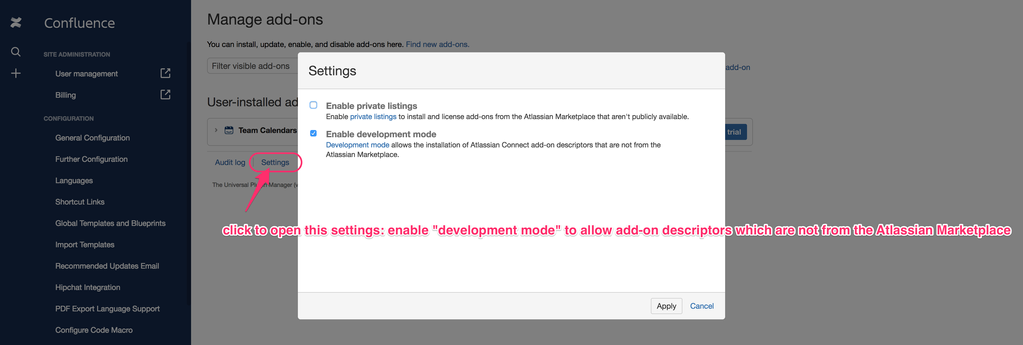

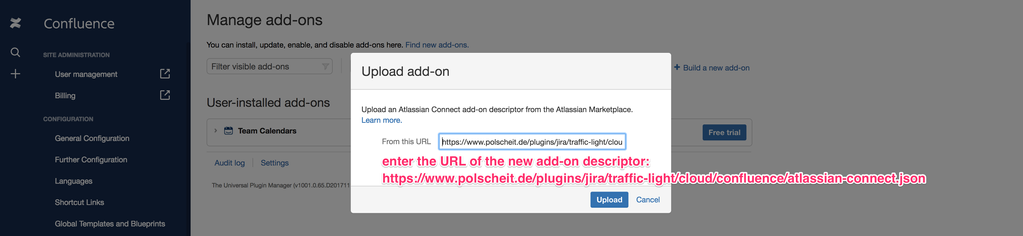
Due to support of TLS1.2 as well as HSTS as requested by Atlassian for enhance security, your have to use the following URL for copy & paste (since May 10th, 2021):
https://polscheit.de/plugins/jira/traffic-light/cloud/confluence/atlassian-connect.json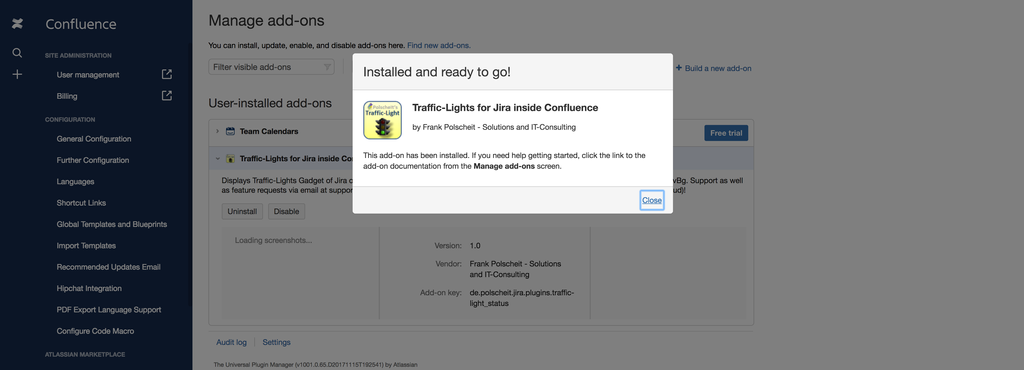
- As user, edit a page and add a new macro named "traffic-lights" via Confluence's macro browser.
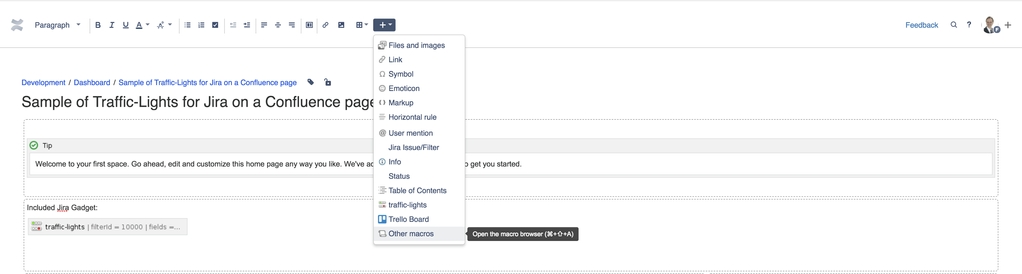
Within the macro browser, search for "traffic-lights" to easily find the new macro, then click on it to add it.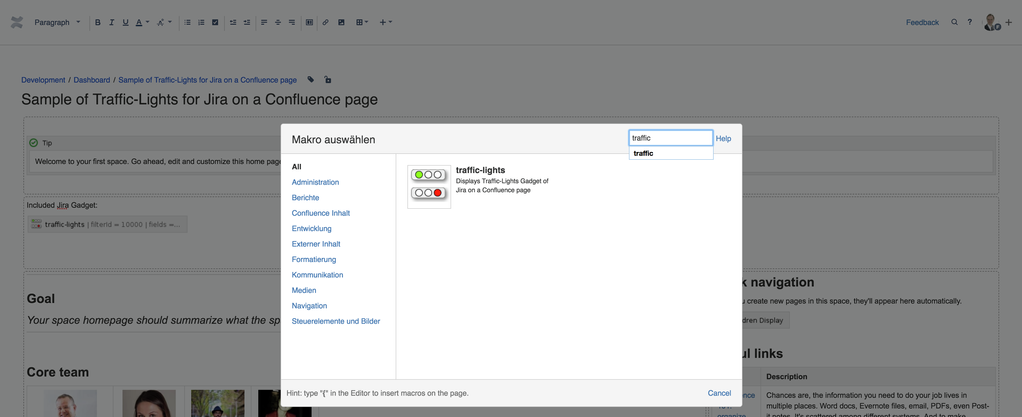
Alternatively, just click on "traffic-lights" within the macro menu: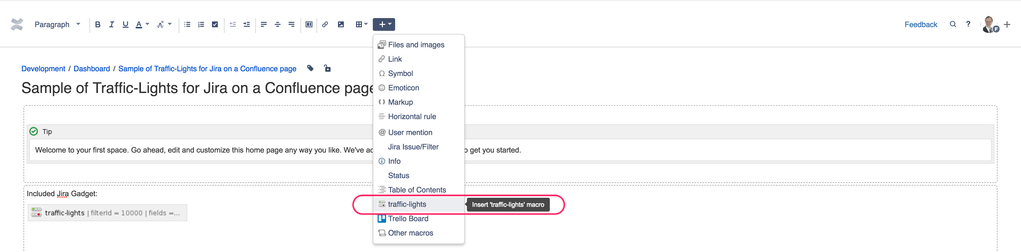
Initially, choose one of your Jira filters to retrieve the issues you want to see on your Confluence page and configure all columns you need: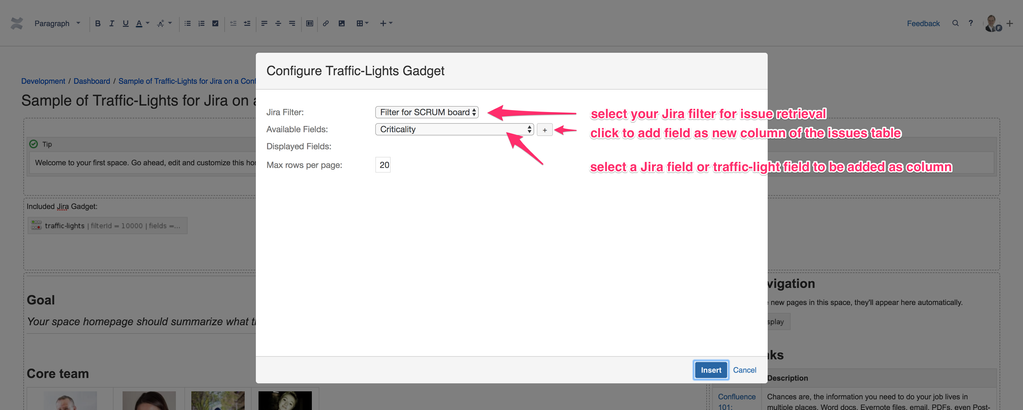
After inserting and ordering all columns you need to see on your Confluence page, please commit by clicking on the "save" button at the bottom of the dialog screen: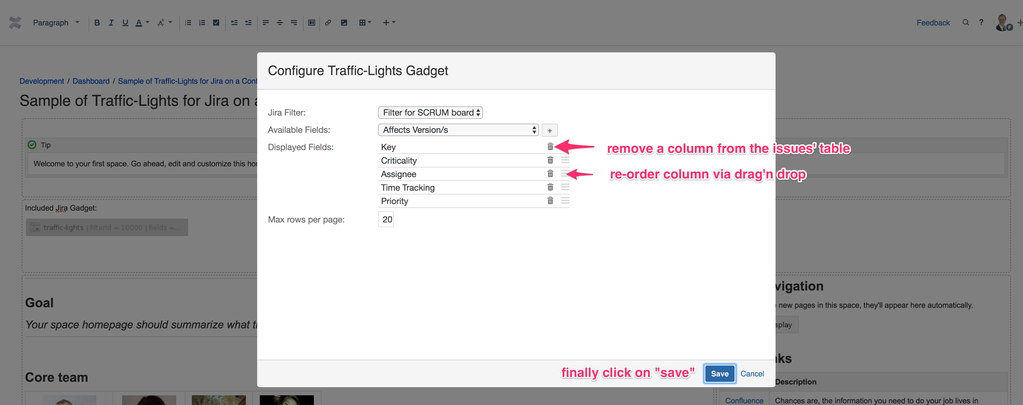
Within the Confluence editor, you see your added, new macro:
 Now, you have successfully integrated "Traffic-Lights for Jira" on your Confluence page cross-platform:
LIVE-Sample: display issues from my Jira-Cloud:
Traffic-Lights embedded within an expand-macro:
Traffic-Lights embedded within a table as part of the expand-macro:
another table with auto-fit (Atlassian feature not working well) |
|---|
| table with manually shifted width |
|---|